
If you are also looking for free AI tools to create AI trading videos, you have come to the right place. In this blog post, we will discuss the best free AI tools that you can use to create videos featuring trending cartoon characters such as Motu Patlu or any other for free.
Best AI text-to-video generator Free tools
- Google Gemini AI text-to-video generation Tools
- Youtube Create
- Google Flow
1. Google Gemini AI text-to-video generation Tools
Gemini is Google’s AI tool; you can use it to create videos and images for free. Additionally, it can answer all your questions, making it one of Google’s most advanced tools.
How to Create Free AI video in Gemini Step by Step Guide.
Step 1 Open Google Gemini App in Your Mobile Phone
Step 2 Click on the Plus + Button then select Videos Option.
Step 3 Upload the Image and Select the Aspect Ratio 16:9 or 9:16 for reel and Youtube video.
Step 4 Describe your video (Paste the video prompt this section, You can use Chat GPT to create the Prompt. The more detailed prompt, the result will be better.)
Step 5:- Click on Submit or Generate ( a few moments for the AI to process your video)
Step 6:- Click the Download icon to save the video.
2. Youtube Create
YouTube Create is YouTube’s free video editing app. You can create various Ai videos with it, completely free of charge. Download the app in your android mobile phone and create account with Email or direct login with your Gmail id.
Follow these Steps
- Open App in Android Phone
- Click on Generate Video

- Past Seen 1 Prompt
- Upload seen 1 image
- Click on Generate Button
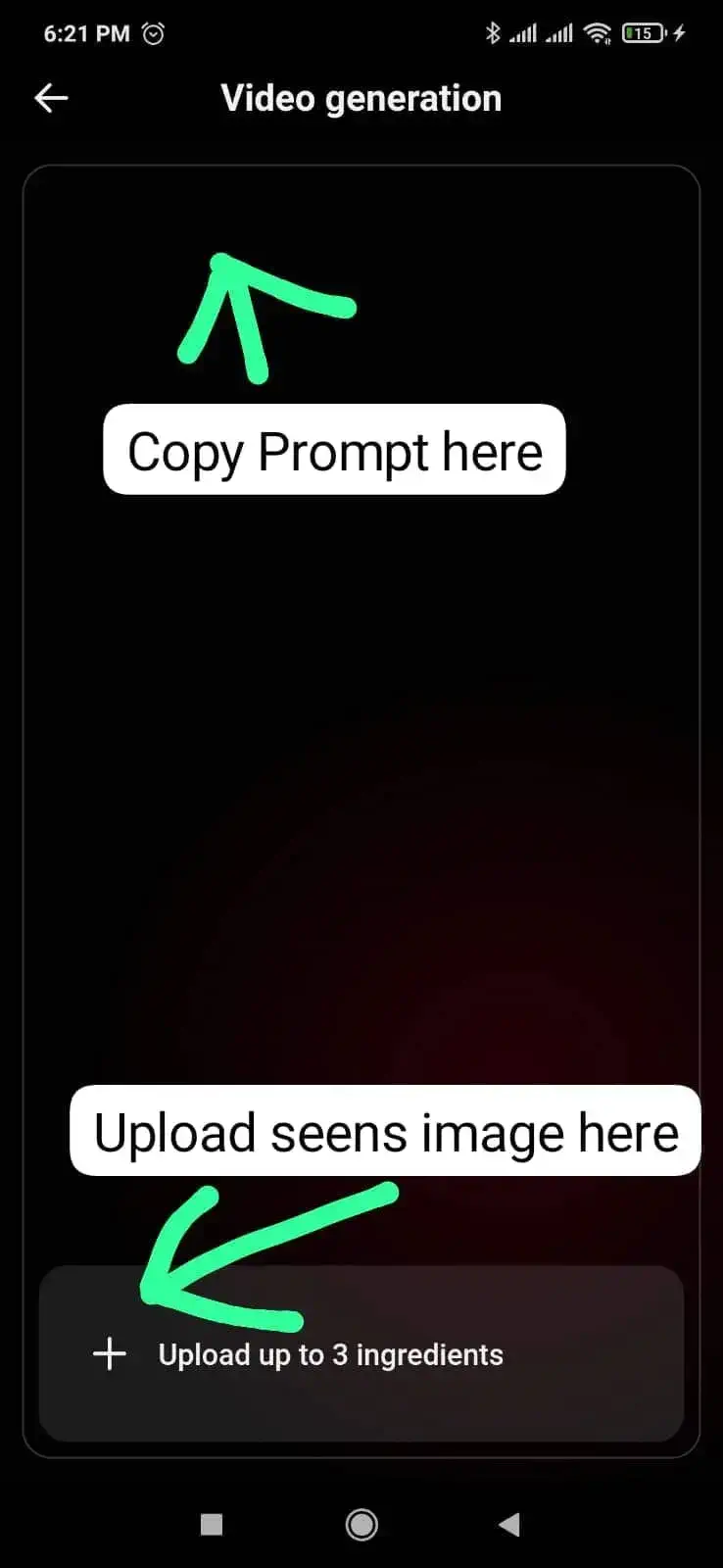
Video will be ready with in 1-2 mins. Click the Download icon to save the video.
3. Google Flow
Google Flow is an AI-powered creative studio and filmmaking platform from Google DeepMind. It transforms simple text prompts and images into high-quality, cinematic videos and images. We can create Free AI cartoon videos for using Google Flow. It gives every user 50 free daily generation credits without any subscription, which refresh every day. A 10-second video consumes 15 credits; generally, three 10-10 second videos can be created in a day. If you want to create more videos, you can use multiple Gmail accounts. You can create images for free; no credits are required for the images.
Follow these Steps to crate Free Ai Video
Step 1:- Open Google Flow in your Phone
Step 2 – Login with Gmail Id and Click on New Project.
Step 3 – Upload Image for click on the + Icon and Past the details prompt (Characters dialogue and negative prompt) in Text section.
Step 4- Configure your video preferences – Aspect Ratio (9:16 or 16:9) Speed, Model, Video Duration (4s,6s,8s or 10s) .
Step 5- Click the Arrow icon to Generate the video.
Step 6- Once the rendering is complete, the video is ready. Download and use it.
There are many online tools available that you can use to create AI videos.
These three tools are the best for creating Ai videos Free; we use them. All tools are easy to use and results are good. So, you can try these tools.
Also Read: Instagram Viral Motu Patlu Wali Ai Video Kaise Banaye

